Showing posts with label Wallpapers. Show all posts

Saturday, 24 December 2011

Wallpaper Rotator

 Features

  • Does not consume any system resources (does not stay resident)
  • Automatically scans user selected folder and its subfolders for images
  • Can Read/follow windows shortcuts to images and folders.
  • Supports bmp, jpeg and png image files
  • Option to correctly stretch images without disturbing their aspect ratio
  • Option to automatically choose a desktop background color that "fits" with the image
An important (and very handy) feature of wallpaper rotator is that it can read and understand windows shortcuts to image files or folders as if they were real image files and folders. This is very handy beacause you can set as your "source folder" an empty folder and then create and place there shortcuts to as many folders as you wish or shortcuts to indivisual image files.

Thursday, 22 December 2011

Wallpaper Rotator 0.5

Wallpaper Rotator allows to dynamically change the desktop background. While this is a native feature in Windows 7, XP users need to rely on third-party applications like this to periodically change the wallpaper.

Wallpaper Rotator 0.5

This version includes the following improvements:
  • Saving the choice of "Random Order (Shuffle Mode)"
  • Updating the configuration file when the user removes a picture from the list
  • Window size more adequate to files with long paths
  • Code improvements that reduced the memory required to the program run in the background
  • More readable code, with renaming of functions to more intuitive names and separation of design code from behavior code (can still be improved)

Friday, 25 November 2011

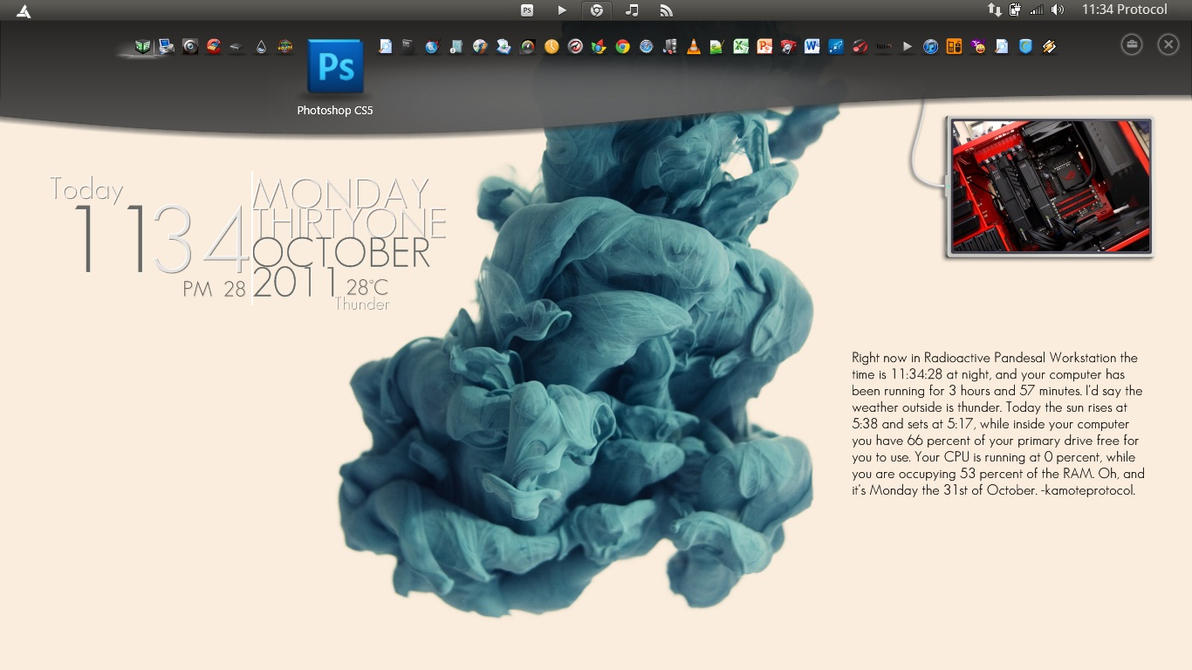
VAIO Gate 2.2 for Windows 7 and Vista + Wallpapers

A personal portal for your favourite media and programs

VAIO Gate offers fast and easy access to favourite multimedia programs and entertainment. This gateway is always there as a visually attractive bar at the top of your desktop and keeps track of your most popular programs and media.
  • Fully integrated onto your desktop for quick access with large icons
  • Simple and easy to use – click or touch* an icon to go straight to a program
  • RSS feed enables web recommendations and links


This is a new feature that comes with a SONY VAIO so If u ever had wanted one now u can feel like u are in a VAIO with this program called VAIO GATE, but now you can use it on Non SONY VAIO laptop/ any other Pc, Download Below.


Download Some Cool wallpapers for VAIO Gate Here

Note:If This Version of Vaio Gates doesnt work with your computer than Download this


Wednesday, 23 November 2011

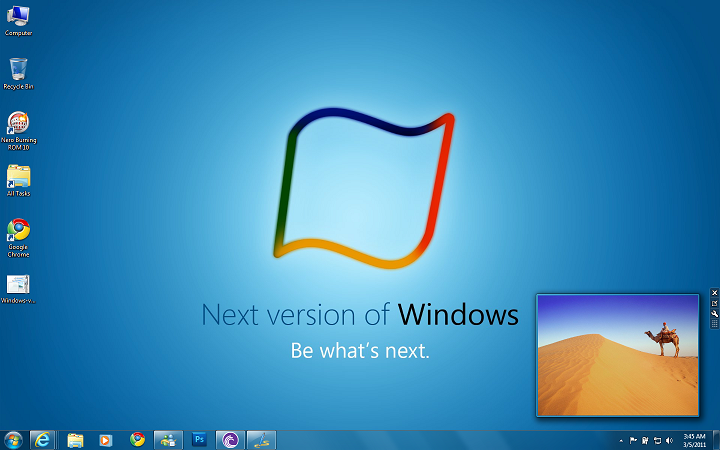
Windows 8 theme pack for Windows 7 and Windows Developer Preview


Windows 8 theme pack has 4 wallpapers and uses built-in sound scheme Afternoon. All wallpapers are showcasing new Windows logo (leaked) with Microsoft tag line “Be what’s next.” with colors of Windows flag.

To install, just download and run the .theme pack. The wallpapers are set to change every 30 minutes, but feel free to choose your own. We hope you like it!

Friday, 21 October 2011

Download Ubuntu 11.10 (Oneiric Ocelot) Wallpapers Package

Canonical and the Ubuntu developers have released version 11.10 of their popular Ubuntu Linux distribution, code named as “Oneiric Ocelot”. Ubuntu 11.10 comes with a collection of 16 New Stunning Wallpapers contributed by community members , including the one that will be set as default desktop wallpaper. All the backgrounds Wallpapers are in high-resolution, ranging from art, sceneries, flowers, and other macro shots too.
Below are few of the wallpapers included in Ubuntu 11.10 official wallpaper collection.:


You can check out all the new Wallpapers at the Ubuntu tour site by clicking ‘View photos’ from the Welcome screen.
Download the entire Wallpapers Package here.
Users running other operating systems like Windows and Mac will still be able to download the theme and extract the content wallpapers with the help of an archiving utility such as 7-Zip.

Download Android 3.0 Honeycomb Wallpapers For Phones and Desktop

Android 3.0, also known as Honeycomb is the latest version of the Google Android platform, designed from the ground up for devices with larger screen sizes, particularly tablets. As we know, Android 3.0 not only integrate with more useful function but also has a brand new, creative and wonderful user interface design include wallpaper, icon, menu and more. So do you want to add a little Honeycomb-esque style to your desktop, laptop, tablet, phone or whatever? Here’s are a selection of nine new wallpapers grabbed from the latest Android 3.0 SDK can be downloaded for free.
This wallpaper pack has 9 wallpapers with names: bluecrystal, blue line bots, bots, bucky, city, flowerbot, glowy hex, lotus and village. They are really beautiful, all available in high-resolution and should fit easily on your phones screen as well as your desktop or laptop if you want to show off your affinity for Android.
Download Android 3.0 Honeycomb Wallpapers For Phones and Desktop


back to top
Twitter Delicious Facebook Digg Stumbleupon Favorites More

 
Design by Free WordPress Themes | Bloggerized by Lasantha - Premium Blogger Themes | Affiliate Network Reviews